All-in-One Business Software vs Point Solutions: The Real Trade-Off
All-in-one business software or separate best-of-breed apps? An honest trade-off for small businesses, with a handoff test and when point solutions win.
 The Fluent team8 min read
Na tej strani
- What is all-in-one business software?
- Why do small businesses end up with so many separate apps?
- What does a disconnected software stack really cost?
- When do point solutions win?
- How do you decide? Run the handoff test
- What should you check before switching to an all-in-one platform?
- How does Fluent approach all-in-one?
- Frequently asked questions
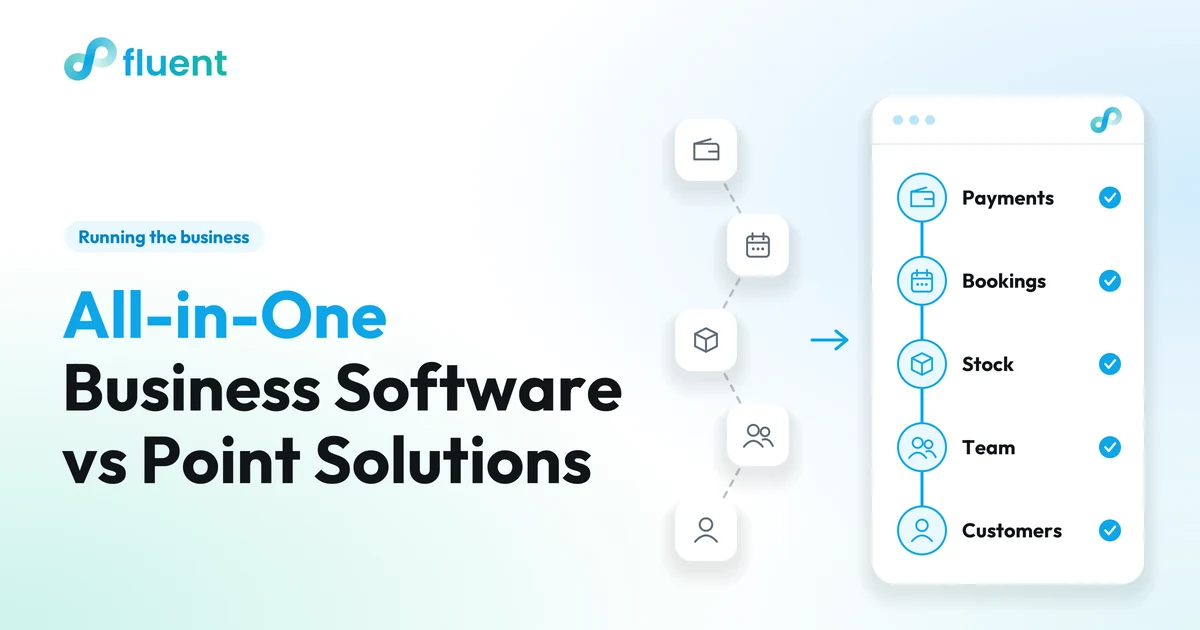
All-in-one business software runs payments, bookings, stock, staff and customers from one system, so a single sale or appointment updates everything once. Point solutions are separate specialist apps, each built for one job. The honest rule: all-in-one usually wins for a small team with daily handoffs; specialist tools win when one job needs real depth.
Key takeaways
- All-in-one wins when the same customer, sale or shift touches several tools every day, because keeping it all in one system removes the copying between them.
- Point solutions win when one job needs more depth than any suite offers, or barely touches the rest of the business.
- Count the handoffs, not the features: every time someone moves information between tools costs time and invites a mistake.
- Before switching, check your busiest hour, how your data comes in and goes out, and which specialist tools you will keep.
What is all-in-one business software?
All-in-one business software is one system for the daily work of running a business: taking payments, managing orders or appointments, tracking stock, scheduling staff and keeping customer records. What makes it all-in-one is not the length of the feature list. It is that every job works from the same records.
When a customer pays for a haircut they booked online, the appointment, the payment, their history and the day's sales all change at once.
Point solutions take the opposite route: a separate specialist app for each job, such as a payment app, a booking app or an email tool. Each can be excellent. They only know about each other if someone connects them or carries the information across by hand.
To tell a shared system from separate products sold under one login, change a customer's phone number in one place and check whether it changed everywhere.
Why do small businesses end up with so many separate apps?
Because each app was the right answer to one problem on the day you bought it. Nobody designs a small business software stack. It grows one sensible decision at a time.
You open and need to take cards, so you get a payment app. Customers want to book online, so a booking app follows. The team outgrows the group chat, so a scheduling app arrives. Then come an email tool, paper stamp cards, and a spreadsheet for the accountant. Most business software for small business owners is sold this way, one job at a time.
What nobody chose was the work between the apps, and it usually lands on the owner after closing.
What does a disconnected software stack really cost?
Mostly time and mistakes at the joins between tools, not the subscriptions. Fees show up on a statement; the hours spent copying, checking and fixing between apps never do.
Take an illustrative café, invented to show the arithmetic: a team of five, six separate tools including paper stamp cards, and these regular handoffs:
| Handoff (illustrative) | Who | How often | Time |
|---|---|---|---|
| Matching card payments to the order screen at close | Owner | Daily | 15 minutes |
| Updating the stock sheet from sales and deliveries | Shift lead | Daily | 20 minutes |
| Copying the shift plan into the group chat, fixing swaps | Owner | 3 times a week | 15 minutes |
| Typing newsletter sign-ups into the email tool | Barista | Weekly | 30 minutes |
| Pulling sales from two apps for the accountant | Owner | Monthly | 2 hours |
Open six days a week, that is roughly 23 hours a month, close to three working days, mostly the owner's and mostly after closing. Add your own hourly rate and the subscriptions, and you have the real price of the stack.
Then come the mistakes that slip through the joins. A shift swap agreed in the chat never reaches the schedule, so Saturday opens one person short. The stock sheet runs a day behind, so the oat milk order comes up short. A regular loses her stamp card, and nobody can see she has been in every morning for a year.
None of those tools is bad. The cost sits between them, and the owner is what connects them.
To be fair, all-in-one would not erase every minute in that table: someone still checks deliveries and plans shifts. What it removes is the copying.
When do point solutions win?
Point solutions win when one job needs more depth than any suite offers, or when a job barely touches the rest of the business. That is the strongest case against software consolidation, and for some owners it is the right call.
- One channel is most of the business. If you mostly sell online, ship nationwide and manage a large catalog, a platform built only for that may go further than a suite's online store.
- Someone else picks the tool. If your accountant works in one bookkeeping package, keep it and plan the rest around it.
- The job stands alone. A design app or a password manager never needs to know about sales or shifts, so it creates no handoffs.
- There are very few handoffs. A one-person business that mostly takes payments may need nothing more than a good payment app.
- You want to spread the risk. With one vendor, its outages and price changes reach your whole business. Separate tools spread that risk, at the cost of more joins.
Integrations narrow the gap: two specialist tools that sync reliably behave almost like one system. The catch is upkeep. Someone has to set up the connection, notice when it quietly stops working and fix it, and in a small business that someone is usually you.
How do you decide? Run the handoff test
Count how many times in a normal day information moves from one tool to another, and who moves it. Feature lists tell you little; handoffs show where your time and mistakes go.
- Pick a normal busy day. Not your quietest, and not a holiday rush.
- Follow one customer, one sale and one shift through it. Write down every tool each one touches.
- Mark every handoff. Count any time someone re-types, copies, exports or checks one tool against another, including handoffs that live only in someone's head.
- Note who does it, and when. If the answer keeps being "the owner, after closing," that is where your evenings go.
- Circle the handoffs customers feel. Double bookings, sold-out items still on sale, a loyalty reward nobody can find.
- Read the result. Many daily handoffs across your core jobs point to all-in-one. A few handoffs around one deep job point to keeping that specialist tool.
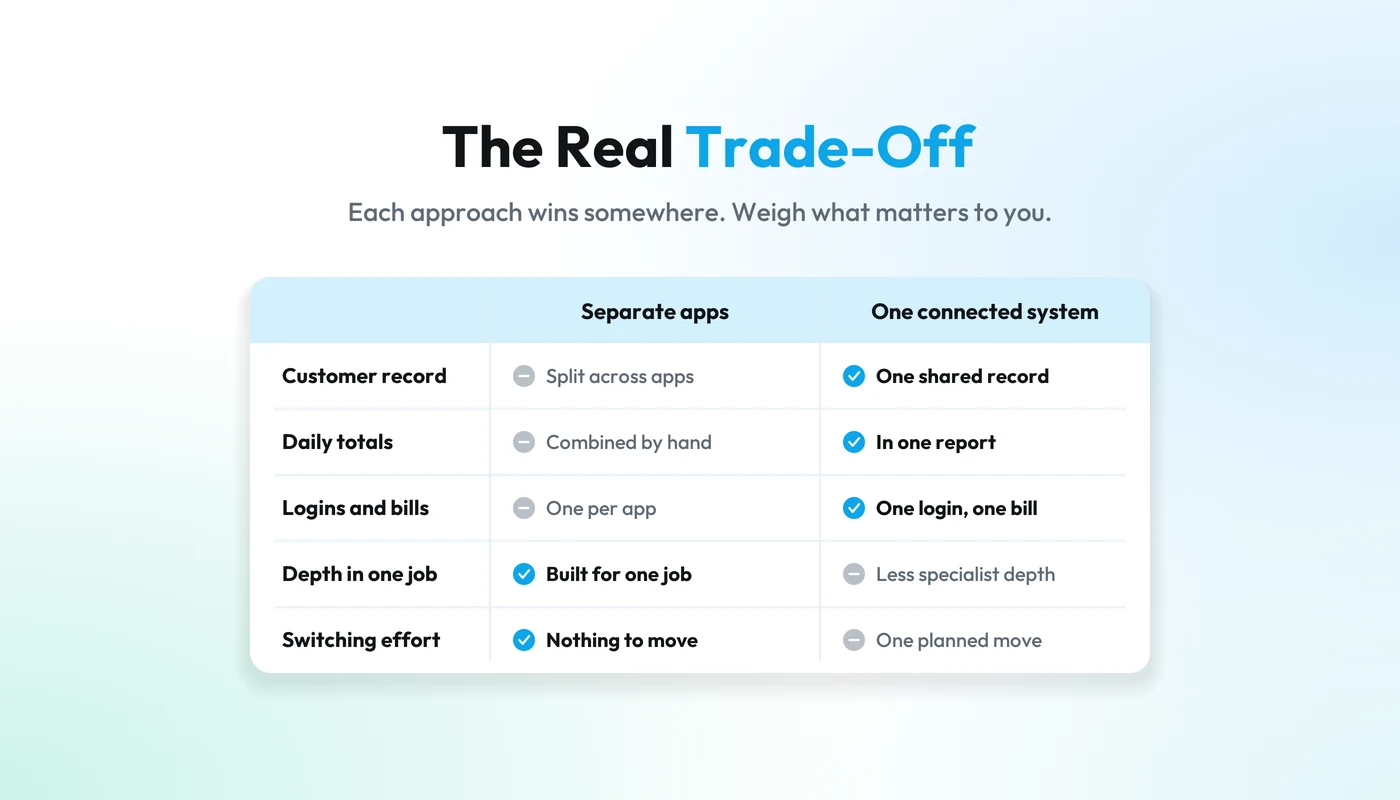
| All-in-one system | Point solutions | |
|---|---|---|
| Daily handoffs | Few: one sale updates payments, stock and customer history | One per join, carried by a person or an integration |
| Depth in one job | Enough for most small businesses, rarely the deepest | Often the deepest available |
| One view of a customer | Built in | Split across apps unless connected |
| Switching | One bigger move | One app at a time |
| Vendor risk | Concentrated in one supplier | Spread across several |
| Best fit | Small teams whose customers, sales and shifts cross several jobs daily | One deep job, or few handoffs |
What should you check before switching to an all-in-one platform?
Check that it handles your busiest hour, that your data can come in and go out, and what it will really cost as you grow.
- Your busiest hour. Ask to see it do your real work at your real pace: a lunch rush, a Saturday of back-to-back appointments.
- Data in and out. What can be imported, such as customers, products and gift card balances, and can you take your data with you if you leave?
- Payments and records. Which payment providers work in your country, who processes the payments, where records are stored and which outside providers handle them.
- What you will keep. Which specialist tools stay, such as your accountant's package, and how data will reach them.
- What the AI does today. Ask to see it work on your kind of data, and what it can send or change without you. Our buyer's guide to AI software for small business goes deeper.
- The real price. How it changes as you add a location, a team member or a feature.
Practical tip
Switch in a quiet stretch, not the week before your busiest season. If you can, move one job at a time, starting with the handoff that costs you the most evenings.
How does Fluent approach all-in-one?
Fluent is all-in-one business software for local businesses: one system to run the business, plus an AI assistant, Fluent AI, that works across it. Each type of business gets its own product (see all Fluent products), and every product shares the same tools:
| Product | Built for | What it covers |
|---|---|---|
| Restaurant | Restaurants, cafés, cafeterias | Menus, orders, payments, team |
| Retail | Clothing, shoes, pharmacies, independent shops | Counter, products, stock, customers, online store |
| Food Lab | Bakeries, production labs, central kitchens | Customer orders, recipes, ingredients, production plan, invoicing |
| Booking | Barbers, salons, appointment businesses | Appointments, availability, customers, payments |
| Events | Event organizers, food festivals, venues | Kiosks, stock, sales, team |
Underneath sit the shared Fluent tools for payments, shifts, invoicing, email and SMS, gift cards, loyalty, menus and the online store. Payment availability depends on your country and setup.
For the illustrative café, orders, payments and menus sit in Fluent Restaurant, the shift plan moves into Shifts, and sign-ups and stamp cards move into Email & SMS (for customers who gave permission) and Loyalty & rewards. The stock sheet goes too, because Restaurant keeps orders, payments and stock connected, and the month's sales and VAT summary come from one system instead of two apps.
Fluent AI is where one shared record matters most, because an assistant can only answer from what it can see. You ask in plain words, such as "Were Tuesdays better this spring than last?" and it is designed around the orders, payments, bookings, stock and team information already in Fluent. It shows the evidence behind its answer, flags what is running low, lists the regulars who have gone quiet, and prepares the next step, such as a draft invoice or a reply to a booking request. Nothing is sent or changed until you approve. Confirm which AI workflows fit your business in a demo.
Customer, order and payment records are stored on Swiss infrastructure in the Zürich region. Payments are processed by certified payment partners, not by Fluent, and Fluent AI always uses the most advanced AI models available, from a third-party provider. See the Fluent trust and security page for details and the Fluent pricing page for prices in your currency.
If your handoff test points the other way, keep the specialist tool.
Frequently asked questions
Is all-in-one business software cheaper than separate apps?
All-in-one business software is not always cheaper on the software bill. A few entry-level apps can cost less than one system, or more, depending on your setup. The fairer comparison adds the hours your team spends moving information between tools. Run the handoff test, put your hourly rate on the result, and compare totals, not just fees.
What is software consolidation?
Software consolidation means replacing several overlapping tools with fewer, so the same customer, sale or shift is recorded once instead of in several places. For a small business, it usually means moving payments, bookings or orders, staff schedules and customer records into one system, while keeping any specialist tool that does a job no suite matches.
Is all-in-one business management software only for bigger businesses?
No. Small teams often gain the most, because the owner is usually the one copying information between apps after hours. What matters is the number of daily handoffs, not headcount. A one-person business that only takes card payments may need a single good app; a five-person café juggling bookings, stock and shifts is a strong fit.