Reorder points for small shops: stop running out of best sellers
How to calculate a reorder point with simple maths: daily sales pace, real supplier lead time and a safety buffer. Worked examples for small independent shops.
 The Fluent team9 min read
On this page
- What is a reorder point?
- Why do best sellers run out first?
- Step 1: Work out your sales pace
- Step 2: Find your real lead time
- Step 3: Add safety stock
- Step 4: Put it together
- How much should you reorder?
- Days of cover: the one number to check every week
- What about sizes, colours and variants?
- Common mistakes to avoid
- A 15-minute weekly reorder routine
- How Fluent helps
- Frequently asked questions
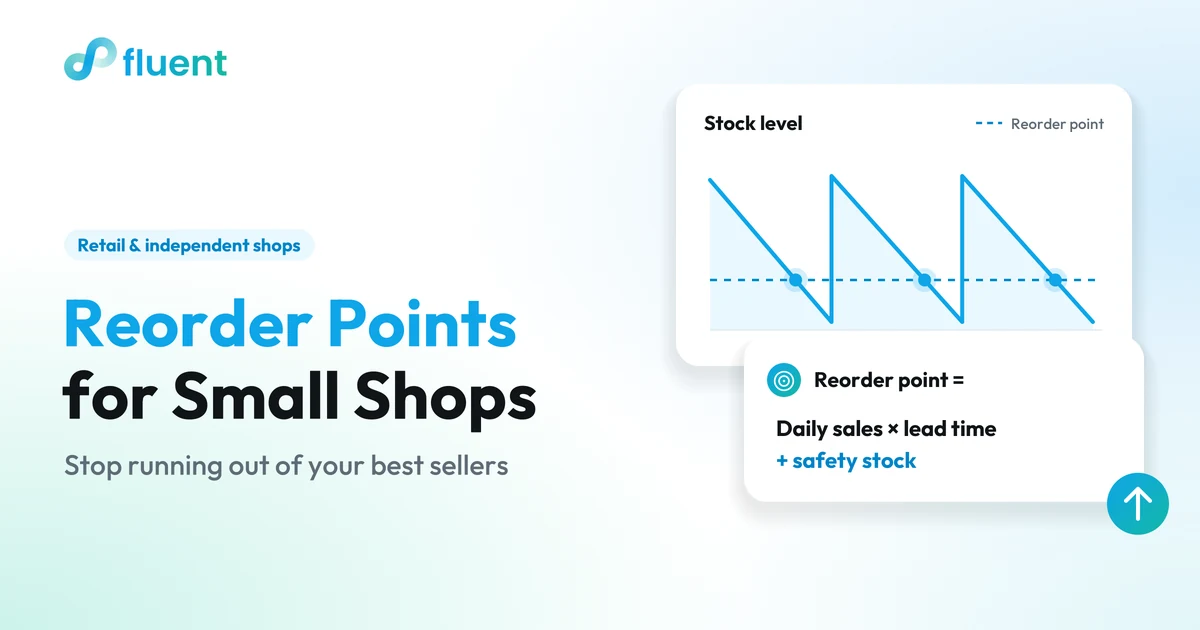
A reorder point is the stock level at which you place your next order, so that new stock arrives before the shelf is empty. The formula is simple: average daily sales × lead time in days + safety stock. Say you sell 3 pairs of a boot a day, your supplier takes 5 days and you keep 6 pairs as a buffer: you reorder when you're down to 21 pairs.
This guide shows how to work out each number for your own shop, whether you sell shoes, clothing, gifts or a pharmacy's retail range, with worked examples you can copy into a spreadsheet.
Key takeaways
- Reorder point = average daily sales × lead time (days) + safety stock.
- Measure sales pace only over the days the item was actually on the shelf, or best sellers will look slower than they are.
- Use your real lead time, from deciding to order to having the item on the shelf, not the supplier's quote.
- Check days of cover (stock ÷ daily sales) for your best sellers every week; anything with less cover than its lead time needs ordering now.
- Start with your top 20 products, not the whole range.
What is a reorder point?
Four terms do most of the work:
| Term | What it means | Example |
|---|---|---|
| Sales pace | Average units sold per day | 3 pairs a day |
| Lead time | Days from placing an order to having stock on the shelf | 5 days |
| Safety stock | A buffer for busier days and late deliveries | 6 pairs |
| Reorder point | The stock level that triggers a new order | 3 × 5 + 6 = 21 pairs |
Example figures for one best-selling boot.
The idea: while you wait for a delivery, you keep selling. The reorder point makes sure that what's left on the shelf covers the wait, with a little extra in case the wait is longer or demand higher than usual.
A related number, days of cover, tells you how long your current stock will last: stock on hand ÷ daily sales. With 8 pairs left and sales of 3 a day, you have about 2.7 days of cover. If that's shorter than your lead time, you will run out before a new order can arrive.
Why do best sellers run out first?
Knowing why changes where you look:
- They move fastest, so any gap between checks hurts them most. A slow item can sit unchecked for a month; a best seller can go from "plenty" to "two left" in a week.
- Reorders happen by eye. If you reorder when a shelf "looks low", you order too late for fast movers and too early for slow ones.
- Demand isn't flat. A payday weekend, the first cold week, a market on your street or the start of the holidays can push sales up just when you're too busy to check.
- Variants hide gaps. A shoe in six sizes can look well stocked while the two sizes everyone asks for are gone.
Running out of a best seller costs you the sale, and sometimes the customer, who finds it somewhere else. That's why the maths below is worth doing for your top products first.
Step 1: Work out your sales pace
Take the units sold over a recent period and divide by the number of days the item was actually available.
Worked example. Over the last four weeks the shop was open 24 days and sold 60 pairs of a brown ankle boot. But the boot was sold out for 4 of those days. Its real pace is 60 ÷ 20 = 3 pairs a day, not 60 ÷ 24 = 2.5. The lower figure would set the reorder point too low.
A few rules of thumb:
- Use the last four weeks for steady products, and the same period last year for seasonal ones.
- Count only the days the shop was open.
- Leave one-off spikes (a single large order from a school, say) out of the average and plan for them separately.
Step 2: Find your real lead time
The lead time your supplier quotes is only part of the wait. Your real lead time runs from the moment you decide to order to the moment the item is on the shelf:
- Time until the order actually goes out.
- The supplier's processing and delivery time.
- Time to check, price and put the stock out.
Worked example. The supplier promises 3 days. You send orders in the evening, so they are processed the next day; the delivery arrives late in the afternoon, and you unpack and label the following morning. Your realistic lead time is 1 + 3 + 1 = 5 days.
If you only place orders on a fixed day each week, add your order cycle too: use lead time + 7 days in the formula. An item that drops below its reorder point the day after order day has to last until the next one.
Step 3: Add safety stock
Safety stock is the buffer for days that sell more than average and deliveries that arrive late. There are two simple ways to set it.
The quick way: a few days of sales. Keep one to three days of average sales as a buffer, more for items with less reliable suppliers. At 3 pairs a day, two days is 6 pairs.
The more careful way: the max–average method. Use your busiest realistic day and your longest realistic lead time:
Safety stock = (max daily sales × max lead time) − (average daily sales × average lead time)
Worked example. On busy days the boot sells 4 pairs, and the slowest recent delivery took 7 days. (4 × 7) − (3 × 5) = 28 − 15 = 13 pairs.
The careful method protects you better but ties up more cash. For most products in a small shop, the quick way is a good start. Save the careful one for the handful of items you really can't be without.
Step 4: Put it together
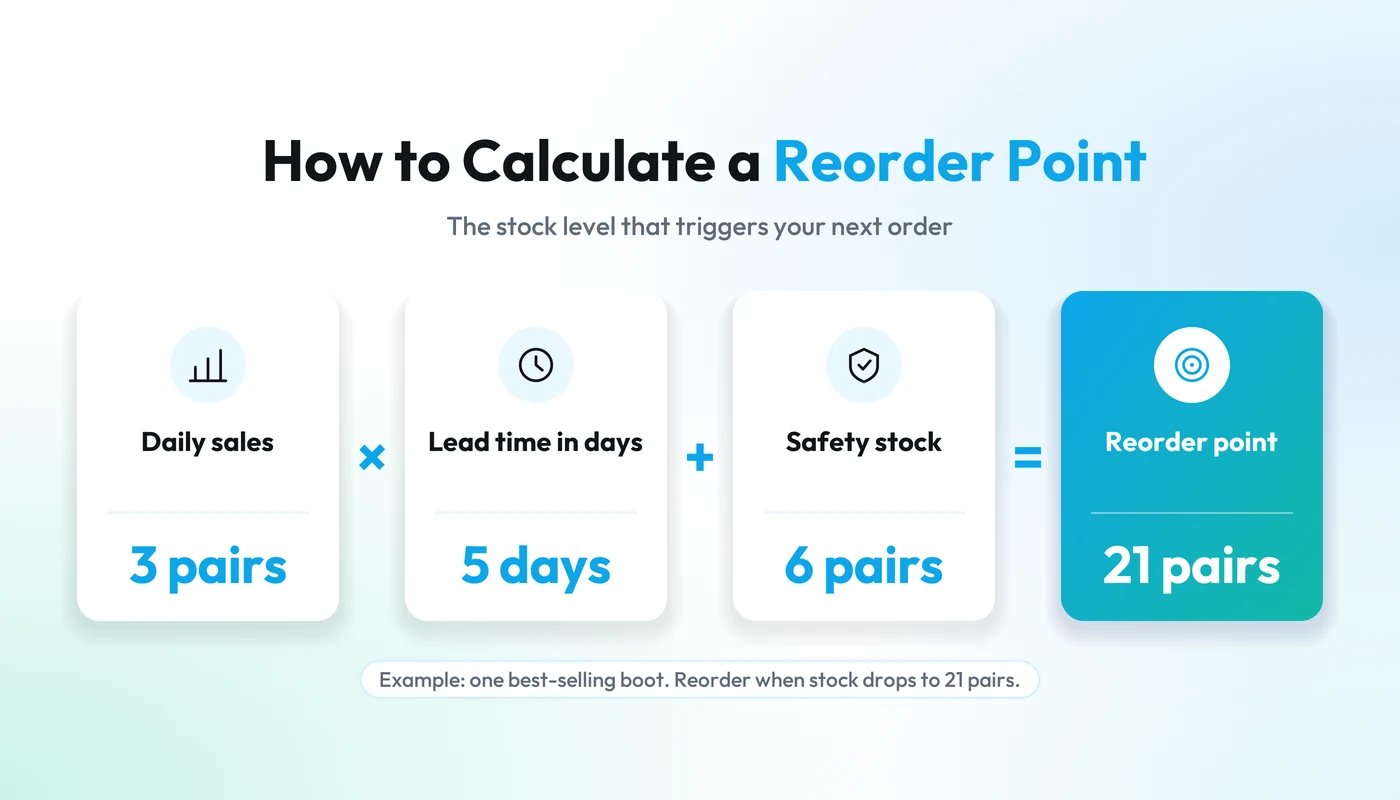
Reorder point = average daily sales × lead time + safety stock
Worked example. 3 pairs a day × 5 days + 6 pairs = 21 pairs. When stock of the brown ankle boot drops to 21, you order.
For a few typical products, it might look like this:
| Product | Sales per day | Lead time (days) | Safety stock | Reorder point |
|---|---|---|---|---|
| Ankle boot (all sizes) | 3 | 5 | 6 | 21 |
| Canvas tote bag | 2 | 10 | 6 | 26 |
| Hand cream | 1.5 | 4 | 3 | 9 |
| Gift wrap rolls | 0.5 | 14 | 2 | 9 |
Example figures only. Round up to whole units.
Look at the tote bag: it sells less than the boot, but its long lead time gives it a higher reorder point. That's exactly the kind of item that seems to run out "suddenly".
How much should you reorder?
The reorder point tells you when to order. The order quantity tells you how much. The simplest approach: decide how many days one order should last, then multiply.
Order quantity = daily sales × days each order should last
Worked example. You want each boot order to last two weeks: 3 × 14 = 42 pairs. If you are already below the reorder point when you place the order, add the gap as well.
Then check the result against four practical limits: the supplier's minimum order and case size, the cash it ties up, the space you have, and how long the item stays in season. For fashion items with a short season, keep each order smaller and reorder more often.
Days of cover: the one number to check every week
You don't need to recalculate everything every week. For your best sellers, divide stock on hand by daily sales and compare it with the lead time:
| Product | In stock | Days of cover | Lead time | What to do |
|---|---|---|---|---|
| Ankle boot | 8 | 2.7 | 5 days | Order now, ask for faster delivery |
| Hand cream | 9 | 6 | 4 days | At reorder point: order |
| Canvas tote bag | 40 | 20 | 10 days | Fine for now |
Example figures.
Sort the list by days of cover, lowest first. Anything with less cover than its lead time will run out before a delivery can arrive: order today and look for a quicker option. Anything at or below its reorder point goes on this week's order.
What about sizes, colours and variants?
For shoes and clothing, it's rarely the style that runs out; it's the sizes. Two practical options:
- Reorder points per variant for your top styles: apply the same formula to each size's own sales pace.
- Your size split for everything else. If a style's sales history shows that sizes 38 to 40 sell most, split the order the same way instead of ordering an even run.
Watch for broken size runs: a style that still shows 15 pairs in stock, all in sizes nobody asks for. For reordering, count those as zero.
Common mistakes to avoid
- Using the supplier's lead time instead of your real one.
- Calculating pace over days the item was sold out, which makes best sellers look slower than they are.
- Forgetting stock already on order, and ordering twice.
- Setting reorder points once and never again. Review them monthly for best sellers and before every seasonal peak.
- Treating every product the same. In many shops a small group of products brings in a large share of sales. Give those the careful treatment and a simple rule to the rest.
A 15-minute weekly reorder routine
- Pull last week's sales for your top 20 products.
- Update stock on hand and anything already on order.
- Calculate days of cover for each one.
- Order everything at or below its reorder point (with your order cycle added if you only order weekly, see Step 2). For anything with less cover than lead time, call the supplier or look for a faster option.
- Note what's coming up (a market, a holiday, a cold snap) and raise the safety stock for the products it affects.
Practical tip
Do the routine the day before your main order day. The numbers are fresh when you place the order, and nothing has to wait a full week.
How Fluent helps
All of this depends on two numbers being right: sales and stock. In Fluent Retail, product and sales information stay connected, so your stock knows about every sale and you can follow what is moving and which items need attention. (If your till doesn't keep stock in step with sales yet, our guide to what an EPOS system does is a good place to start.) Fluent AI does the first pass of the weekly check whenever you ask: it lists the products that will run out within about a week at the current pace, the best sellers approaching their reorder point and the stock that hasn't sold in 30 days or more, with the sales and stock figures behind each one. When something needs reordering, it goes one step further. The Fluent AI example on our site works through exactly this calculation: 8 units left, about 3 sold a day, roughly 2.7 days of cover, and a replenishment draft that you confirm, including the supplier and the delivery date, before anything is sent. The example uses sample data; in a short demo we can look at how it would work with your products.

FLUENT RETAIL
Keep the shop moving. Stay close to every detail.
Bring your counter, products, stock and customers together. Spend more time helping people find the right thing, with the operation in view.
Frequently asked questions
What is the difference between a reorder point and safety stock?
Safety stock is the buffer you keep for busier days and late deliveries. The reorder point includes it: it is the sales you expect during the lead time plus that buffer. You order when stock reaches the reorder point, so you should only rarely need the safety stock.
How often should I recalculate reorder points?
Monthly for your best sellers, and before any seasonal peak or change of supplier. Slower products can be reviewed every few months.
Can I calculate reorder points in a spreadsheet?
Yes. One row per product with units sold, days available, lead time and safety stock is enough; the reorder point and days of cover are simple formulas. The hard part is keeping sales and stock up to date, which is where a connected system helps.
What if my supplier has a minimum order quantity?
Keep the reorder point as calculated and round the order quantity up to the minimum or the case size. If the minimum means holding many weeks of stock, weigh the cash tied up against finding a supplier with smaller minimums.